
Features
What you can do with Caffeinated
Every feature below is in the app today, shown in a real screenshot. The timer, every recipe and your journal for up to three coffees at a time.
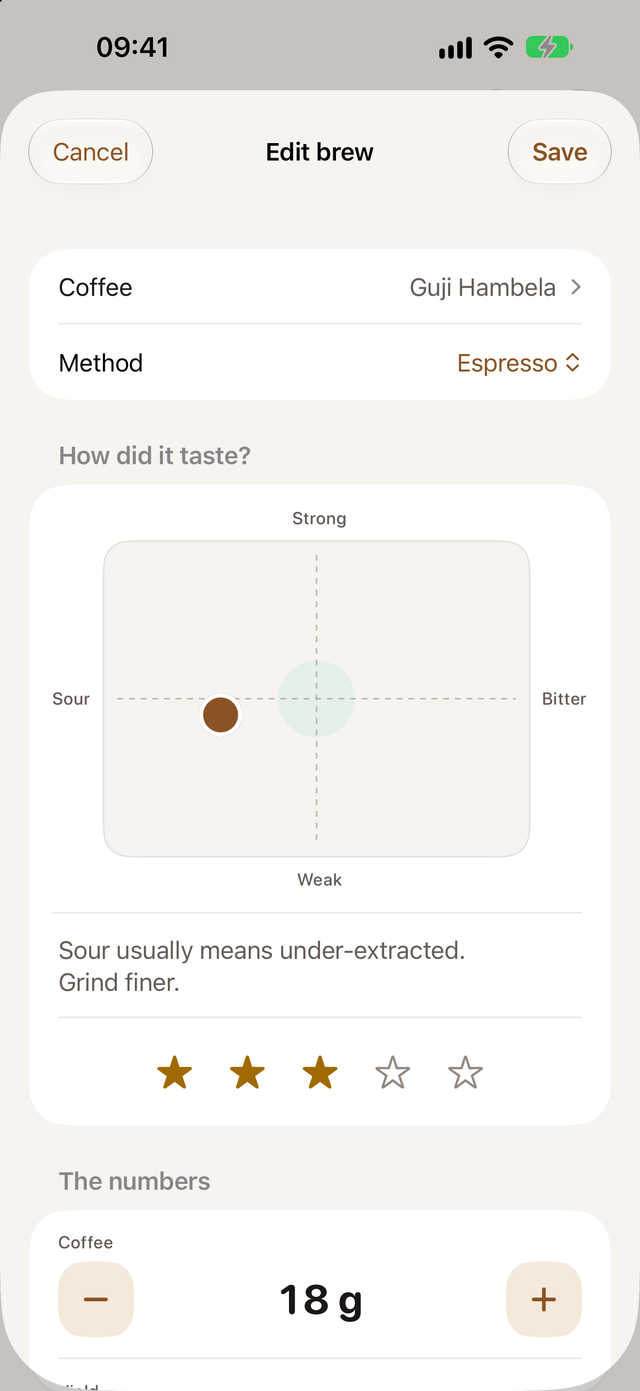
Tap how it tasted, then fix one thing
After each brew, tap where the cup landed from sour to bitter and weak to strong, then rate it. The free plan shows the general rule for that taste. With Pro, the dial-in coach names one exact change and the reason, such as "Grind one step finer, to 11".
For iPhone, iPad and Apple Watch. Works with iOS 26, iPadOS 26 and watchOS 26 or later.
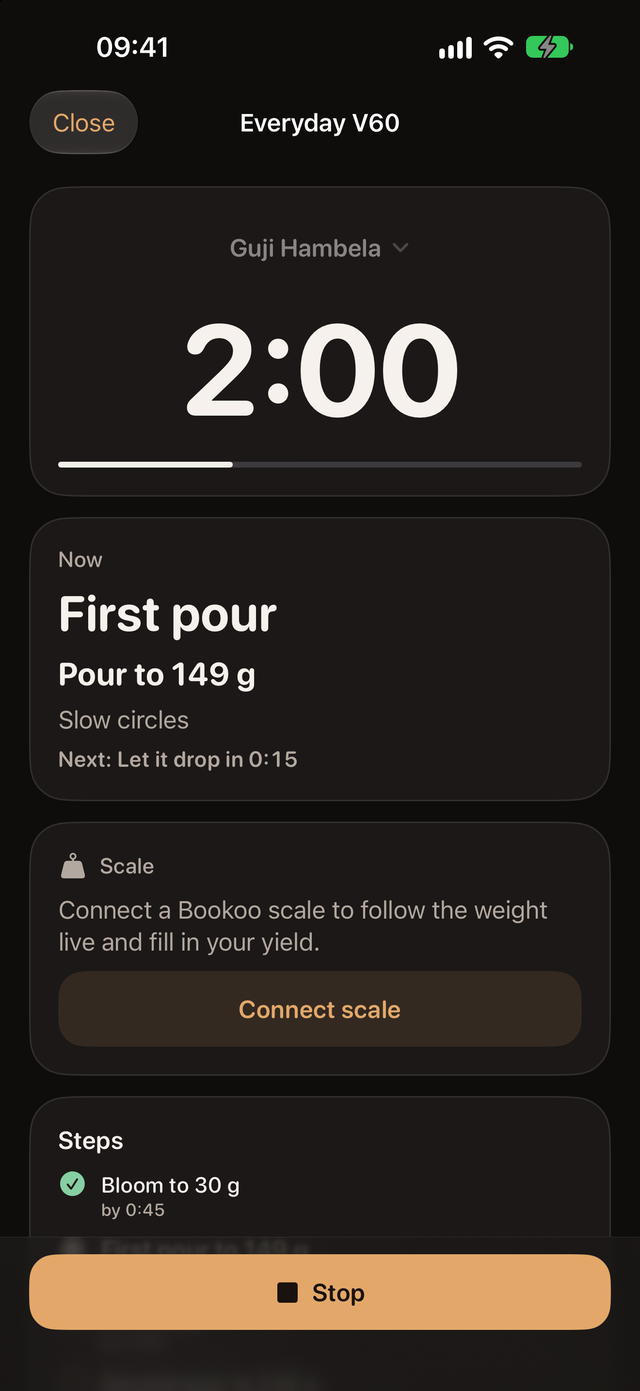
Brew with a guided timer
Choose from 15 recipes across nine methods, each with timed steps and the weight to pour to at every stage. The timer runs full screen, on the Lock Screen and in the Dynamic Island.
- Apple Watch taps your wrist at every step
- iPad works as a counter-top brew station
- With Pro, a Bookoo Themis Mini or Themis Ultra scale shows the weight live
For iPhone, iPad and Apple Watch. Works with iOS 26, iPadOS 26 and watchOS 26 or later.
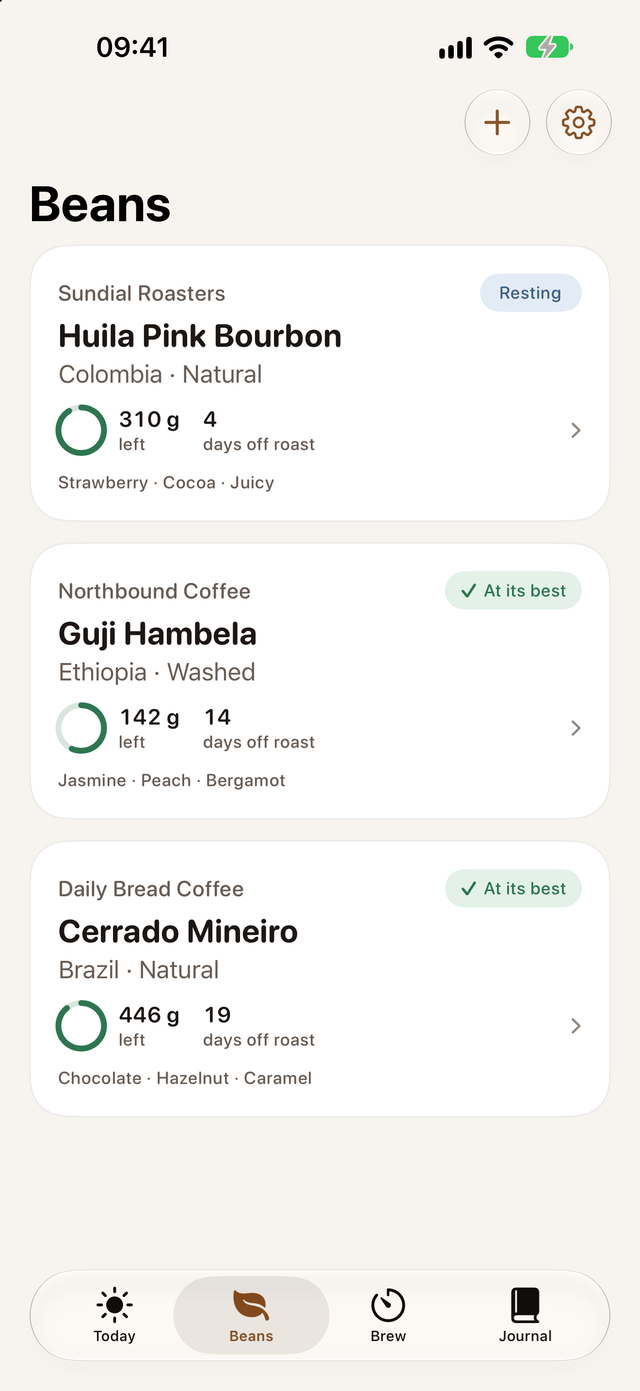
Keep every bag at its best
Each bag shows its days off roast, whether it is resting, at its best or fading, and how many grams are left. Every brew takes its dose out of the bag, so you know when to order more.
- With Pro, a photo of the label fills in the roaster, origin, process and roast date
- The label is read on your iPhone, not on a server
For iPhone, iPad and Apple Watch. Works with iOS 26, iPadOS 26 and watchOS 26 or later.
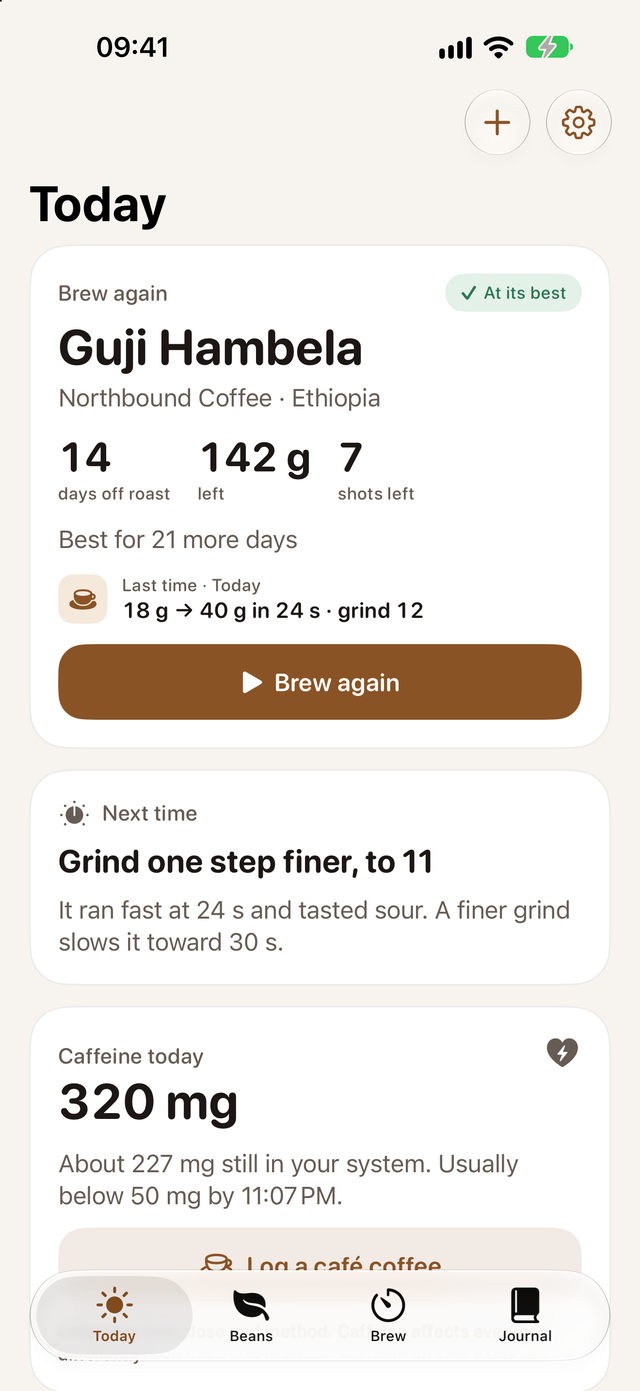
Start from what worked last time
Today shows which coffee to brew next, how many days it is off roast and how long it stays at its best. Brew again opens the timer with last time's numbers filled in.
- Today's estimated caffeine and roughly when it drops below 50 mg
- Optional caffeine entries in Apple Health
- Caffeine and next-coffee widgets
For iPhone, iPad and Apple Watch. Works with iOS 26, iPadOS 26 and watchOS 26 or later.
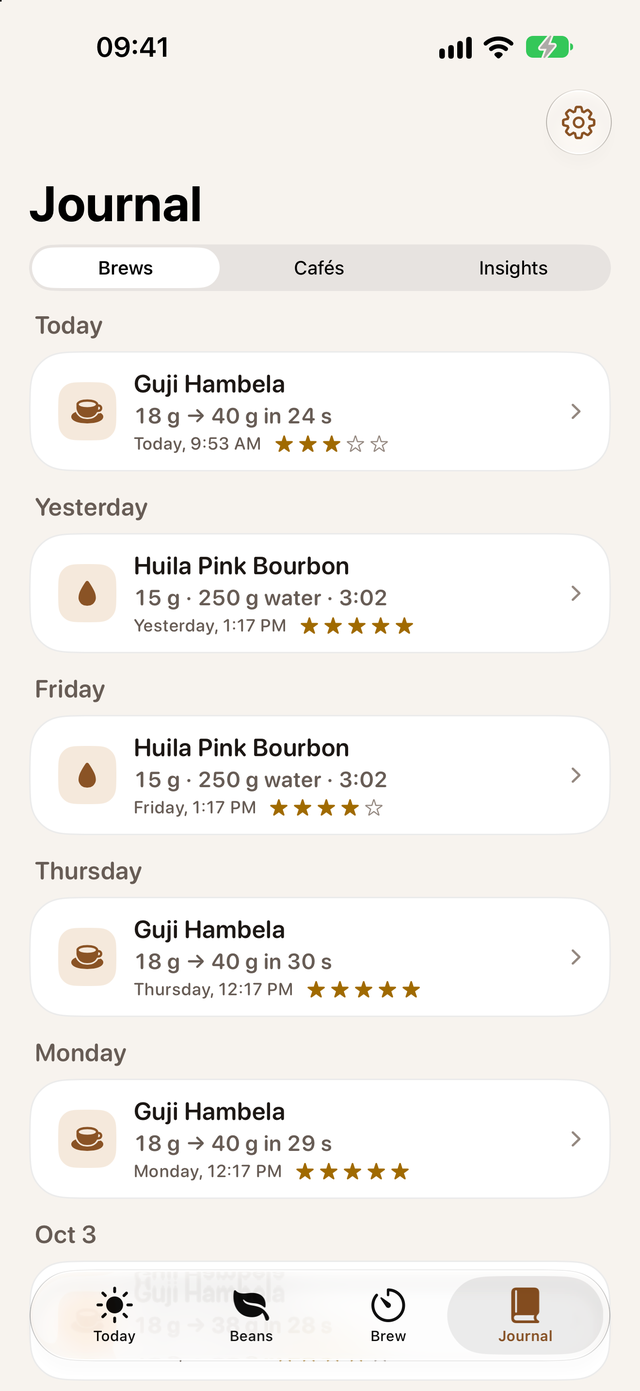
Every brew and café cup in one journal
The journal keeps every brew and every coffee you buy, with a map of the cafés you visit. Bring your history over from Beanconqueror and export everything as a CSV file on any plan.
For iPhone, iPad and Apple Watch. Works with iOS 26, iPadOS 26 and watchOS 26 or later.
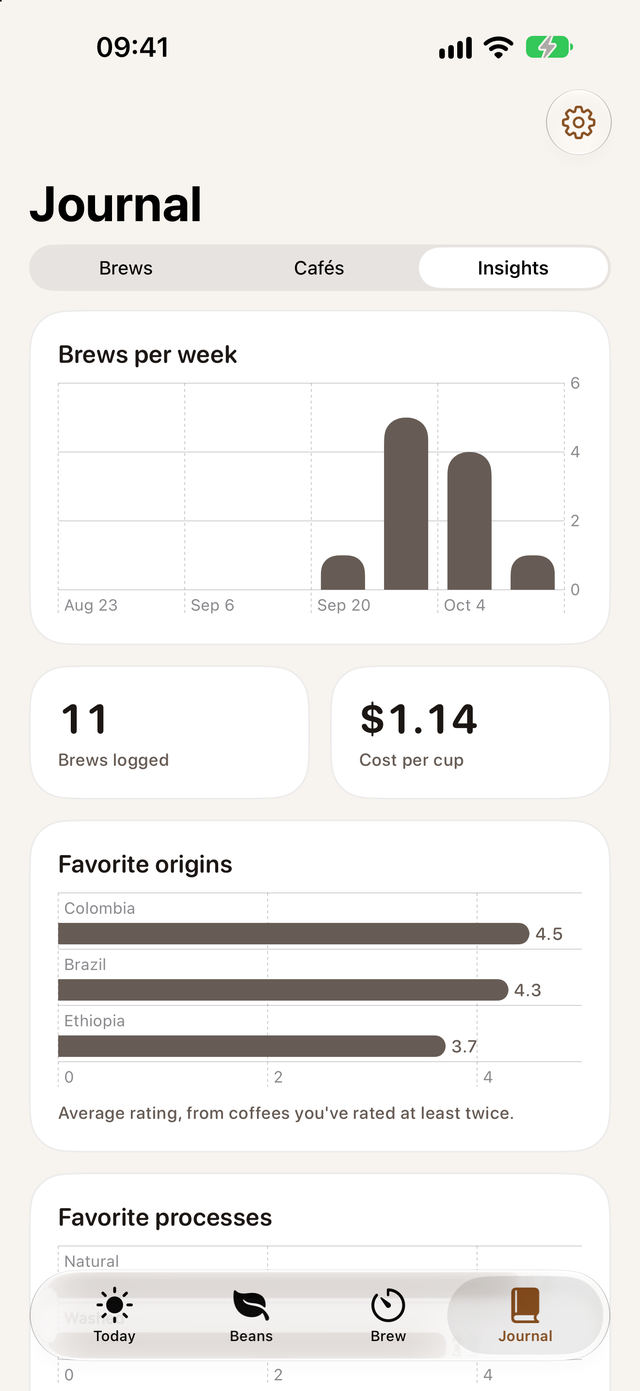
See what you like with Insights
Caffeinated Pro adds Insights. See your favorite origins and roasters, your cost per cup and the best recipe for each coffee. Insights also show how your grind moves as a bag ages.
For iPhone, iPad and Apple Watch. Works with iOS 26, iPadOS 26 and watchOS 26 or later.
Caffeinated is coming to iPhone, iPad and Apple Watch.
Log a brew, tap how it tasted and see what to change next time.
Coming to the App Store
The timer, every recipe and your journal for up to three coffees at a time.
For iPhone, iPad and Apple Watch. Works with iOS 26, iPadOS 26 and watchOS 26 or later.